Customers (Contacts)
Home → Customers (/contacts) is the address book for every person and company you work with. The same record can be a customer, a supplier, a partner, or a lead. Documents, finance, visits, projects, and marketing all point at a contact. The balance on this list is what they owe you, or what you owe them, after confirmed documents and payments.
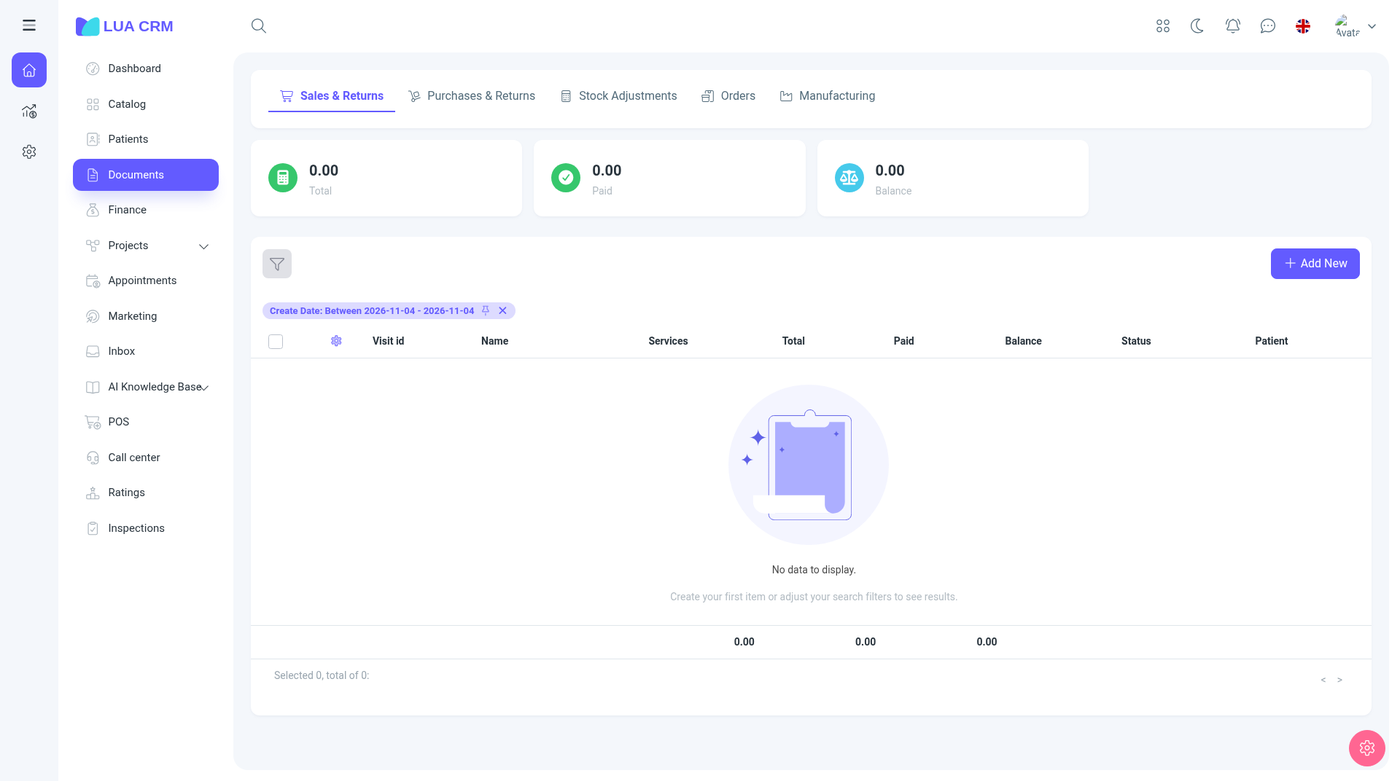
Open it when you need to add someone before a sale, find a phone number, see who still has a balance, or clean up duplicates.
Tabs
| Tab | Address | Who is listed |
|---|---|---|
| All | /contacts | Every contact your role may see |
| Customers | /contacts/customers | Contacts marked as customers |
| Suppliers | /contacts/suppliers | Suppliers |
| Partners | /contacts/partners | Partners |
| Leads | /contacts/leads | Leads. This tab does not show Add |
| Groups | — | Contact groups. Hidden if you cannot open Groups |
A role can hide any of the four role tabs. The list starts on Status = Active. A summary of the total balance sits above the table.
Columns
Contact, email, type (individual or legal entity), balance, and Active are the columns people use most. You can also show phones, group, responsible manager, tax ID, created date, and any custom field.
Add a contact
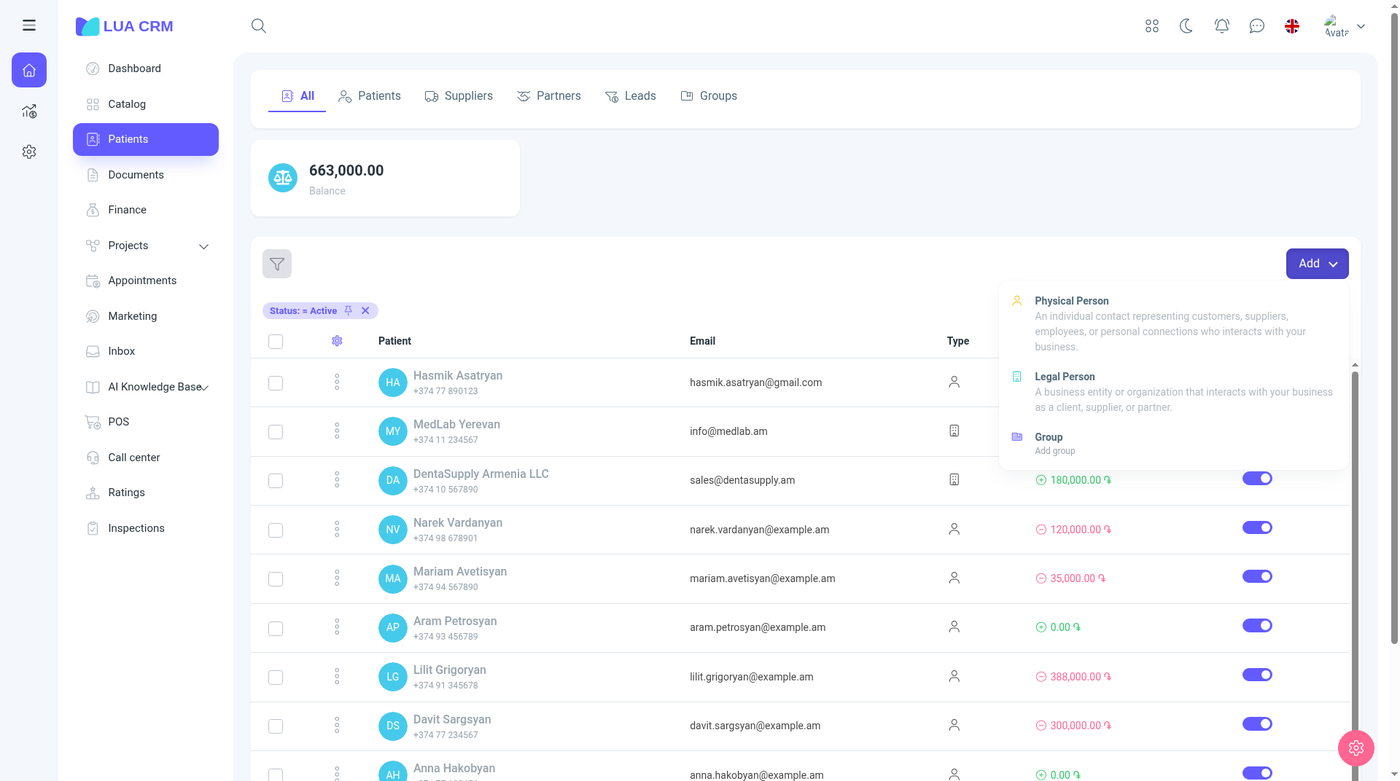
Add offers Individual, Legal entity, and Group. It is hidden on the Leads tab. A lead does not need a customer, supplier, or partner checkbox. Every other new contact needs at least one of those.
The company setting New contact default decides which type opens when you add from the All tab. If that setting is empty, All is used. On a role tab, the new contact is created in that role.
Individual
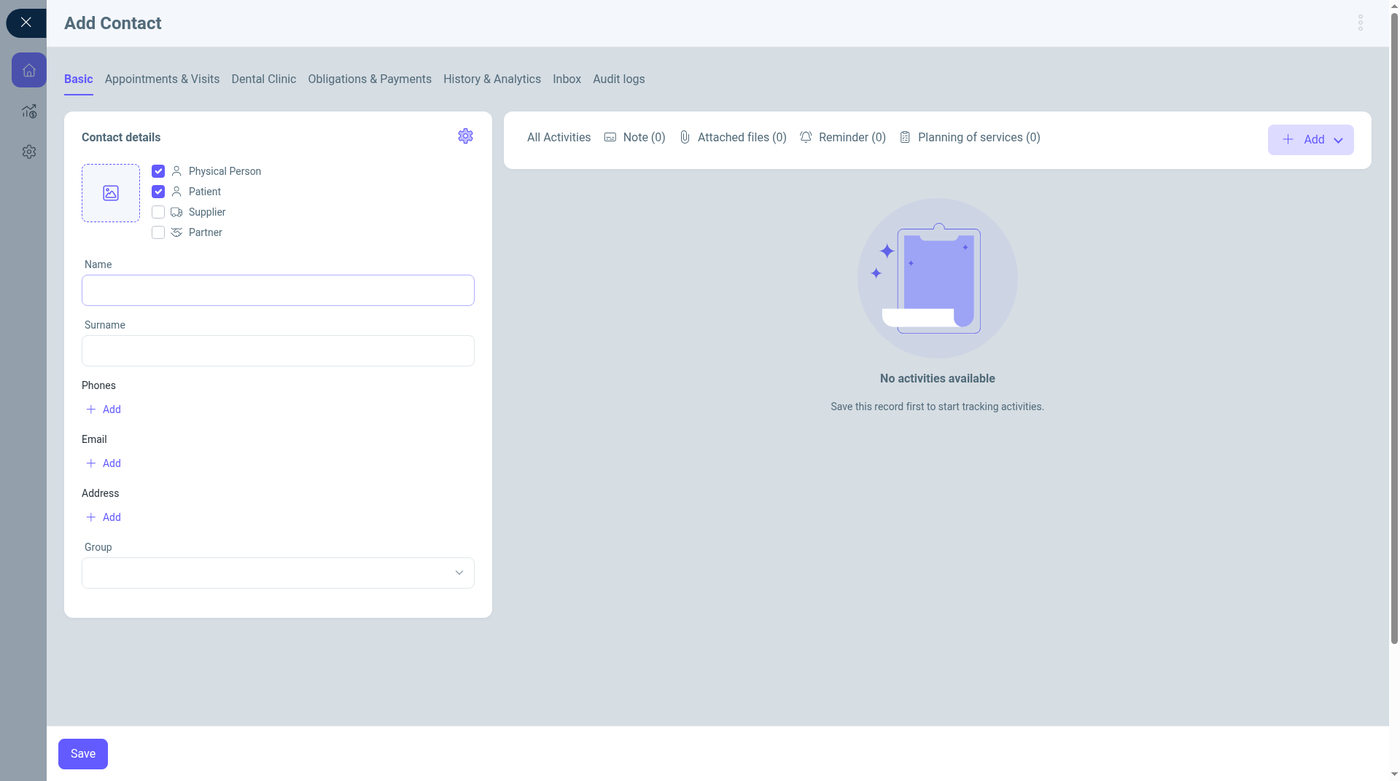
The panel has Main, Meetings & appointments, Obligations & payments, History & analytics, Messages, and Audit log. Meetings, obligations, messages, and history fill in after the contact is saved. Add on notes, files, reminders, and requests also needs a saved record.
Role checkboxes are Customer, Supplier, and Partner. A contact can have more than one. Leads are the people you track on the Leads tab before they become customers.
| Field | Required | Who sees it | Meaning and rules |
|---|---|---|---|
| First name | Yes for a person | Individual | The given name. This is the field the form will not save without |
| Last name | No | Individual | Surname |
| Patronymic | No | Individual | Middle or father’s name, used where your locale prints it |
| Pseudonym | No | Both | Another name to search by |
| Phones | No, unless an admin marked the list required | Both, unless your role hides contact methods | Add more than one. Each row can have a type |
| Emails | Same as phones | Same | Used by marketing and the inbox |
| Addresses | Same | Same | Add more than one. Address types come from reference data |
| Group | No | Both | A contact group. Add new opens the group form if you may create groups |
| Legal entity type | No | Legal entity | LLC, sole proprietor, and the other types loaded for your country |
| Tax ID (TIN) | No | Mostly legal entities | Digits only |
| Public services number | No | Individual | National or social ID. The hint on the field is “public services number” |
| Legal name | No | Legal entity | Registered company name |
| Tax type | No | Legal entity | How this company is taxed |
| Sphere | No | Both | Industry of the contact |
| Acquisition source | No | Both | Where they came from (the source list under Configurations). Add new opens that list if you may edit settings |
| Responsible manager | No | Both | Defaults to you, unless you are a super administrator. Search lists employees |
| Commission plan | No | When memberships or commissions are in use | Plan used when this contact earns commission. Hidden on contacts when memberships are off. Add opens the plan form if you may edit plans |
| Loyalty plan | No | When loyalty is enabled | Hidden entirely when loyalty is off |
| Price type | No | Both | Which price list this contact buys on |
| Gender | No | Individual | Male or female |
| Birthday | No | Individual | Cannot be in the future. Format DD/MM/YYYY. Can be cleared |
| Numerology archetype | No | Individual | Read-only. Calculated from the birthday. You cannot type it |
| Marital status | No | Individual | Married, single, divorced, or widowed |
| Anniversary | No | Individual | Wedding anniversary |
| Citizenship | No | Individual | Country list |
| Passport number | No | Individual | Free text |
| Passport issue date | No | Individual | Can be cleared |
| Passport country | No | Individual | Defaults to the company’s country |
| Passport expiration | No | Individual | Can be cleared |
| Religion | No | Individual | Christian, Muslim, Jewish, or other |
| Education | No | Individual | School, university, or other |
| Placements | No | Both | Branches, departments, and workplaces this contact belongs to. Add opens the placement picker |
| Links | No | Both, unless contact methods are hidden | Websites |
| Communication channels | No | Same | Preferred channels |
| Messenger IDs | No | Same | IDs for chat apps |
| Preferred languages | No | Both | Languages to use with this person |
| Bank accounts | No | Both | Used on printouts and payouts |
| Loyalty cards | No | When loyalty is on | Card numbers linked to the loyalty plan |
| Relations | No | Both | Other contacts linked to this one (spouse, director, and the relation types you configured) |
| Employment | No | Both | Jobs, positions, and the company they work for |
| External ID | No | Both | ID from another system |
| Created on, Created by | — | Both | Filled after the first save. You cannot edit them |
Many of these rows are collapsed until your company turns them on. The screenshot shows the short form: role, name, phones, email, address, and group. The longer list is the same form with more fields enabled.
Activity on the right holds notes, files, reminders, and requests. Counts stay at zero until you save.
Legal entity
Choose Legal entity from Add. You get the same panel, with company fields instead of the personal ones.
Use Legal name as the company name. Tax ID, legal entity type, tax type, and sphere describe the registration. Phones, emails, addresses, group, source, responsible manager, price type, bank accounts, and relations work the same way as on a person. Personal fields (gender, birthday, passport, marital status) stay on the individual form.
A legal entity can still have related people through Relations and Employment (for example the director).
Group
Add → Group creates a folder for contacts, not a person.
| Field | Required | Default | Meaning |
|---|---|---|---|
| Name | Yes | — | Group name |
| Color | No | — | Label color |
| Parent group | No | Empty | Puts this group inside another |
| Description | No | — | Note shown to your team |
| Image | No | — | Avatar |
| Active | No | On | Inactive groups disappear from the group picker |
Edit, deactivate, and delete
Open the row to edit. Turn Active off to keep the history but stop the contact appearing in pickers. Delete needs the delete permission. Deleted contacts stay out of the list until you filter Deleted.
Balances are not edited on this form. They move when you confirm a document or record a payment. To correct a balance, use Documents or Finance, or an adjustment your accountant agrees with.
Filter
| Filter | How it matches |
|---|---|
| Search | Free text across the contact |
| Name, first name, last name, patronymic | Contains or equals |
| Group | One group |
| Type | Individual or legal entity |
| Phone, email | The value you type |
| Balance | Numeric comparisons |
| ID, tax ID | The identifier |
| Birthday | This month, next month, this week, next week, today, a chosen month, or empty |
| Gender | Male or female |
| Created date | A range |
| Status | Active or inactive |
| Price type | Selling or purchase price lists |
| Branches | Including contacts not attached to a branch |
| Departments, workplaces | The placement |
| Numerology archetype | The calculated type |
| Rating segment | A segment from Ratings |
| Position / role | Job titles such as director or assistant. This is the contact’s job, not the Lua CRM permission role |
| Deleted | Not deleted or deleted |
| Responsible manager | An employee |
| Employment | A related employment |
| Region and other custom fields | Whatever your company added |
Choose Apply. How badges, pins, and the starting filter work on every list is in Filtering lists.
Merge duplicates
When two records are the same person or company, use the duplicate tools rather than deleting one and hoping the documents follow. Reports → Duplicates finds likely matches. Merging keeps one contact and points documents, payments, visits, and messages at that record.
What else uses this contact
- A sale or purchase needs a contact (a supplier on purchases and orders)
- Finance can store the contact on a money movement even when it is optional
- Visits, project requests, marketing audiences, and the inbox all link here
- The responsible manager becomes the default owner of new work for that contact
- The price type selects which prices they see
- Placements limit which branches and workplaces they are tied to
- If your role says Hide contact connection methods, phones, emails, addresses, links, channels, and messenger IDs are removed from the form
Permissions
Contacts allow view, create, edit, delete, and print. View and edit can be all records, only your own, or limited to your branches when Branch-limited contacts is on. Extra switches hide an entire role tab. Employees are a separate list under Settings, but they are stored as contacts who can sign in. See Employees.
Tips and common problems
- First name is required on an individual. A company needs its legal name.
- At least one role is required: customer, supplier, partner, or lead. Clearing the last checkbox is refused.
- A messenger ID already used on another contact is rejected, and the save is rolled back.
- Birthday cannot be a future date. The archetype field fills itself from the birthday and stays locked.
- Notes and files refuse to attach until the contact has been saved once.
- If you cannot see phones or email, your role is set to hide contact methods. An owner changes that under system permissions.
- A contact missing from a picker is often inactive, deleted, or outside your branch limit.
- Balance looks wrong after a draft sale because drafts do not post. Confirm the document, then record the payment.
- Loyalty and commission fields vanish when those features are turned off. That is expected.