Projects
Home → Projects is the work board. A project is a pipeline (support, inquiries, a freight job, a clinic plan). Each card on the board is a request, also called a ticket. The Home menu lists every active project you may open, then View all projects (/projects).
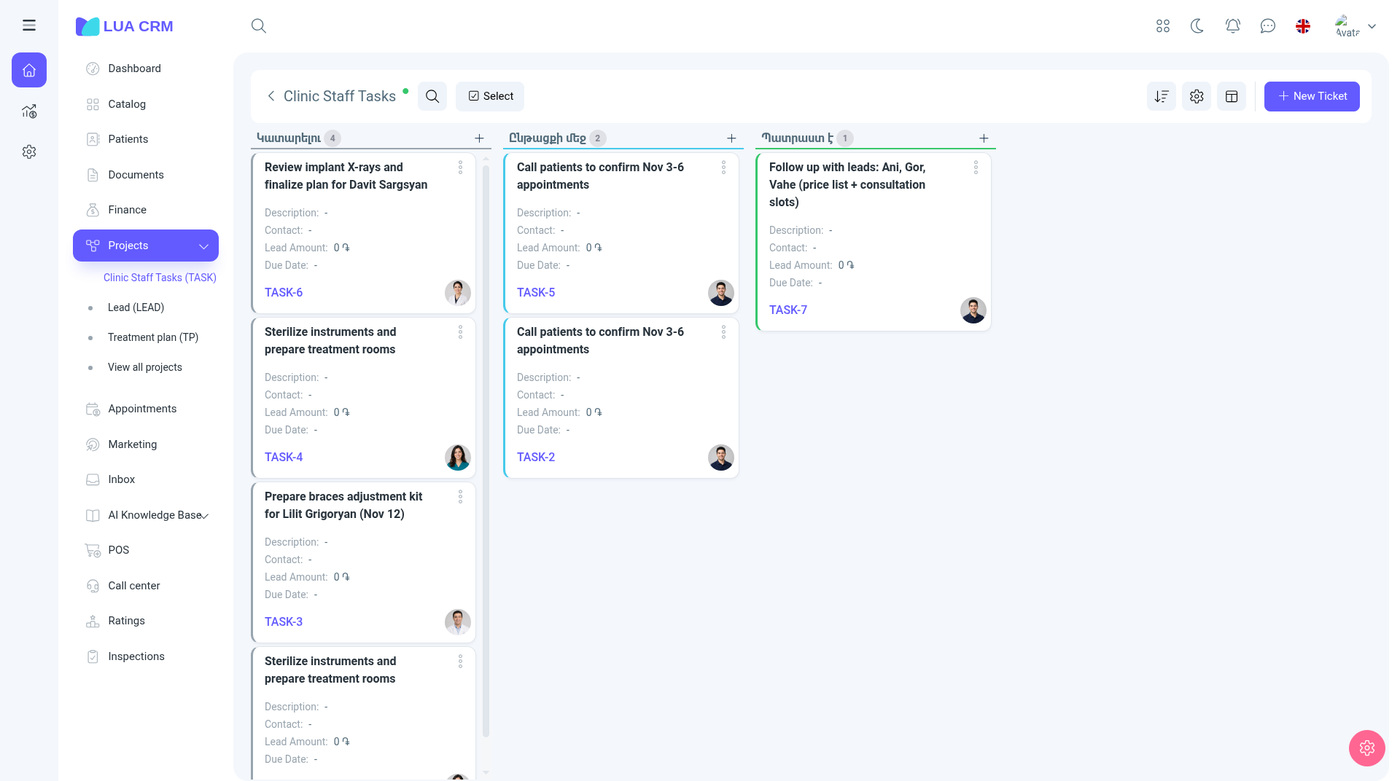
Use a project when work has stages and more than one person. Use a document when you need stock or an invoice. A request can point at a contact and later at a sale, but it does not itself change stock.
Project list
Columns are the project name and key, owner, visibility, members, number of requests, and Active. The demo includes boards such as Support, Reports, Rejected, Lead, Inquiries, and Confirmed. Your company has its own set. A new company often starts with a single default project. Extra project features, including inspections that file tickets, stay quiet until a real project exists beside that default.
Add a project
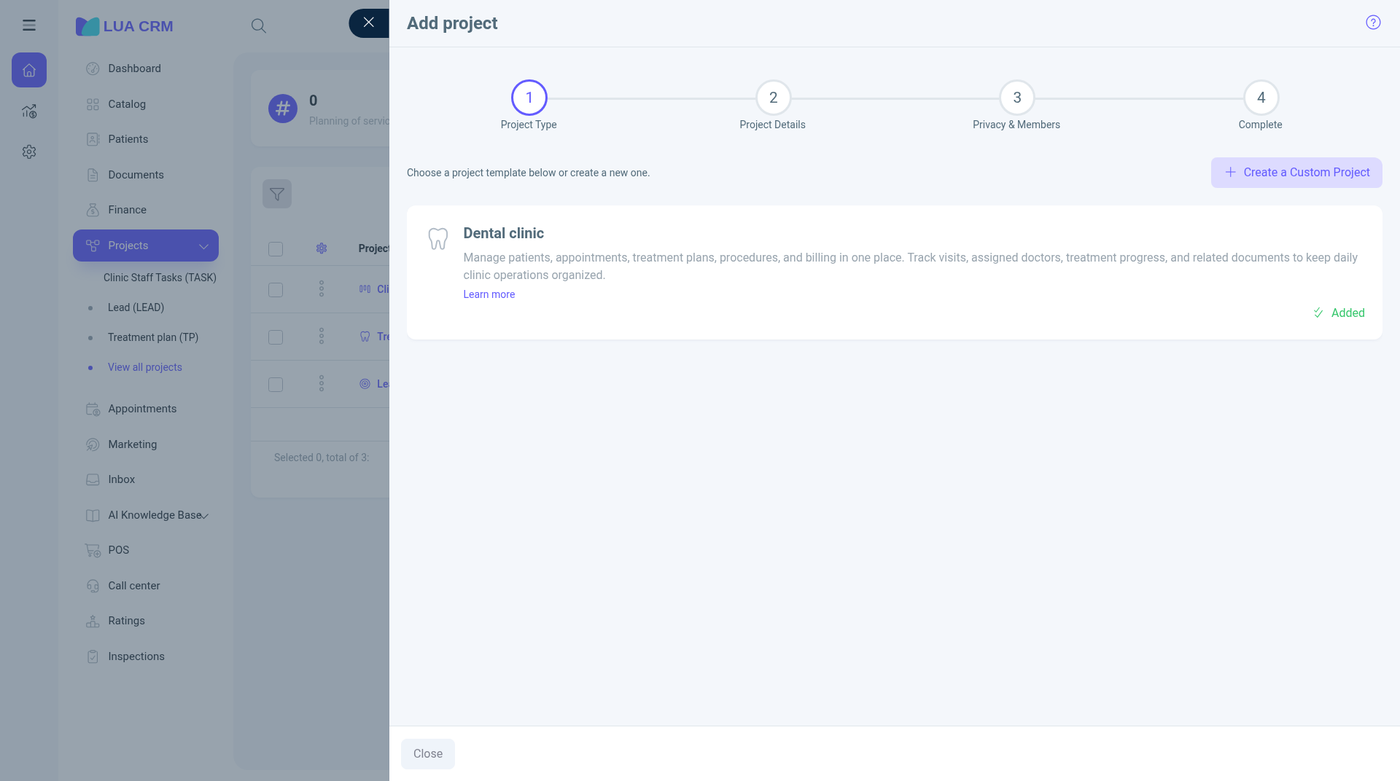
Add runs four steps.
- Project type. Pick a template (the demo includes a Logistics template), Create custom project, or Choose template.
- Project details.
| Field | Required | Meaning |
|---|---|---|
| Project name | Yes | The name in the menu |
| Project key | No | Up to five letters, used in the address /project/KEY. Suggested from the name. Must be unique |
| Default assignee | No | Who new requests are assigned to. Ticket creator (the person who adds the request), Project lead, or Unassigned |
| Description | No | What this board is for |
| Project icon | No | Icon in the menu |
| Project tags | No | Labels for filtering the project list |
| Advanced settings | No | Includes how line items on a request behave |
New projects receive the default stages To do, In progress, and Done. You can rename and add stages later. Those stages are the columns on the board and the status list on each request.
- Privacy and members. Choose who can see the board and who is a member. The owner is the project lead.
- Done. The board is created and appears in the Home menu for people who may view it.
Visibility on a request can still be Public (members of the project) or Private.
The board
Open a project from the menu or from the list. The address is /project/{KEY}, for example /project/CONF.
Columns are the stages of that project. In the freight demo, Confirmed uses Booking order, In process, Unloading, Loading, On way, and Completed. Inquiries uses Inquiry, Quotation, Confirmed, and Rejected. Your stages will differ. Dragging a card to another column changes its status.
New request adds a card. Select starts a multi-select. Cards show the title, contact, amount, what is paid, what is still due, and any custom fields the project shows on the card (CBM is one example in the freight demo).
The same requests can be opened as a table at /tickets/{KEY}/list, and their lines as a report at /tickets/{KEY}/items.
New request
The form title follows the project, for example Add ticket. Tabs include Main, the services or items tab, Parties & finance when the project uses them, Messages, and Audit log.
| Field | Required | Default | Meaning and rules |
|---|---|---|---|
| Title | No, unless your project made it required | Empty | The card name. Description is separate and holds up to 5,000 characters |
| Description | No | Empty | Up to 5,000 characters |
| Status | Yes | The stage marked as the start of this board | One of this project’s columns |
| Assignee | No | From the project’s default assignee setting: the creator, the project lead, or nobody | Members of the project |
| Priority | No | Empty | Highest, high, low, or lowest |
| Primary contact | No | Empty | The customer or other contact. New contact shows if you may create contacts |
| Amount | No | Empty | The value of the job, in the company currency symbol. A breakdown opens when the amount comes from lines. Hidden entirely if your role has Hide request amount |
| Currency | No | Company currency | |
| Exchange rate | No | 1 | Minimum greater than zero, up to 6 decimals |
| Source | No | Empty | Acquisition source. Add new opens the source list if you may edit settings |
| Tags | No | Empty | Several tags |
| Start date | No | Empty | DD/MM/YYYY |
| Due date | No | Empty | DD/MM/YYYY. The picker starts at today |
| Reporter | No | You | The person who reported the request |
| Branch | No | The first branch you can access | Hidden on new projects until you show the field |
| Department | No | Empty | Depends on the branch. Hidden by default |
| Addresses | No | Hidden until enabled | More than one address |
| Employment | No | Hidden until enabled | The contact’s job on this request |
| Visibility | No | Public | Public or private |
| Created on, Created by | — | Filled after save | Locked |
Custom fields configured for this project appear on the same form. In the freight demo those include CBM, shipper, consignee, and agent. They are not on every project.
Parties & finance and the freight route block (cargo, segments, planned / in transit / completed / delayed, income, cost, and margin) show on projects that use logistics lines. A simpler project only has the main fields.
Activity on the card holds notes, files, reminders, and status changes.
Save stores the request on the current column. Moving the column, changing the assignee, or editing the amount is an edit and is written to the audit log.
What a request does next
- The contact’s history shows the request
- A sale or purchase can be linked to the request. The document then shows under connected requests, and the card can show paid and due amounts from that document
- An inspection outcome can create a request when the result button is set to create one. See Inspections
- Confirming a document is still what changes stock and the financial balance. Changing a request status does not
- If the project has custom ticket numbers, the number is generated on save from the pattern set on the project (initials, date, sequence, project key). See Document numbering for the same placeholders
Permissions
Projects and requests are separate rights: view, create, edit, delete, and print. Request view and edit can be limited to your own cards or your department. Hide request amount removes the amount from people who should not see prices. You also only see projects your role is allowed to open, even if you can open the Projects module.
Tips and common problems
- Status is required. If the list is empty, the project has no active stages. Add a stage on the project first.
- The assignee you expected is missing because they are not a member of this project. Add them in the project’s members step.
- Amount is missing because your role hides it, or because the field is turned off for this project.
- Due date can start from today. Start date is a normal date field.
- Description over 5,000 characters is rejected.
- A project key longer than five letters, or one that uses characters other than letters, is not a valid board address.
- The board is empty for a teammate when the project is private and they are not a member, or their role cannot view requests.