Employees
Path: Settings → Employees (/users). Tabs: Employees (opened), Groups, Positions, System Permissions, Schedule Templates. Balance summary card. Filter (e.g. Status) and Add.
Columns
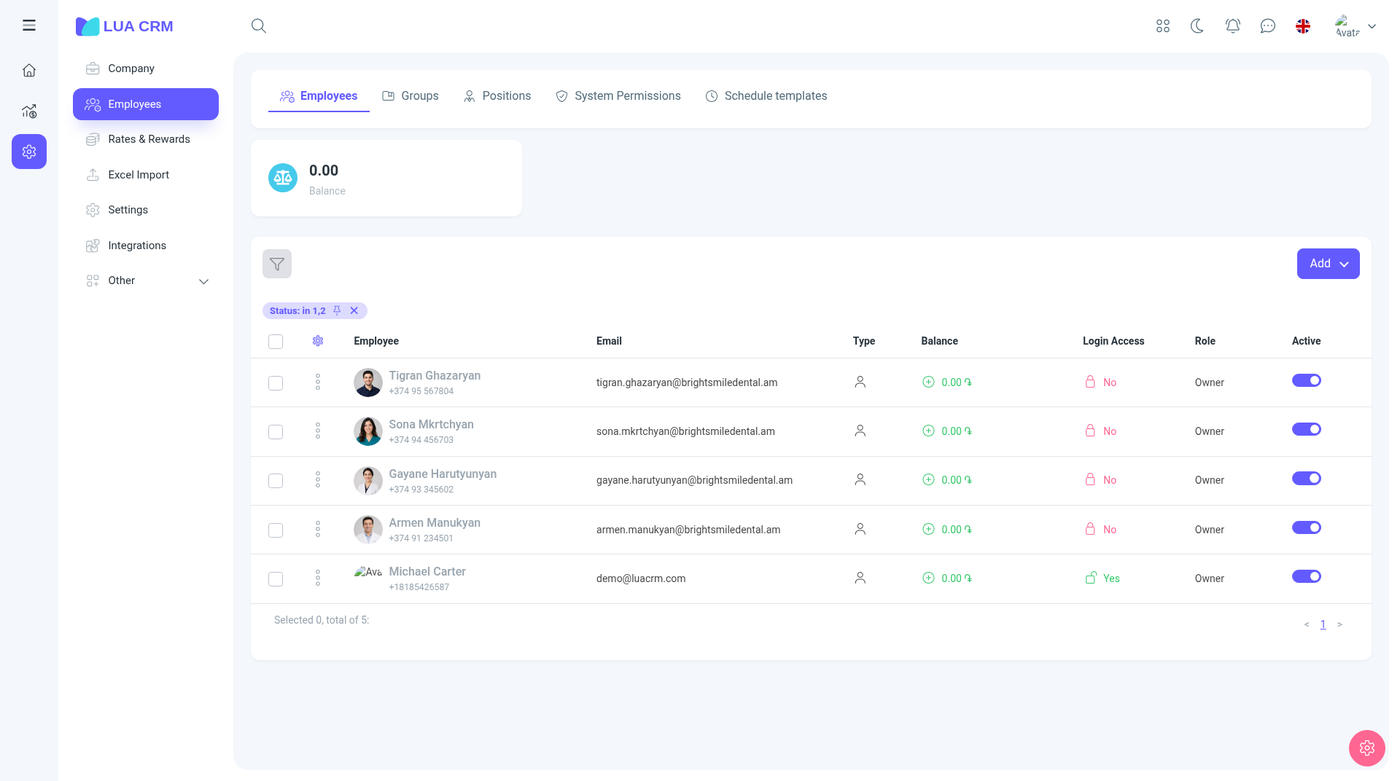
Employee, Email, Type, Balance, Access, Position, Active.
Demo rows: Michael Carter ([email protected], login Yes, Owner), Lucas Bennett (login Yes, Owner), Daniel Foster (login No, Owner).
Add offers Individual or Legal entity, and Group. The form is the contact form, plus two employee-only fields:
| Field | Required | Meaning |
|---|---|---|
| System role | No | Which permission role they get when they can sign in. Roles are created on the System permissions tab |
| Position | No | Job title from the Positions tab. This is not the permission role |
Access on the list is whether they can sign in. A person with access needs a login. A person without access can still be a manager on documents, but they cannot open Lua CRM.
Groups
Employee groups are folders, same as contact groups: name (required), color, parent group, description, image, and Active (on by default). Use them to filter the employee list. They do not grant permissions. The role does that.
Positions
Positions are job titles (owner, assistant, technician, and any title you add). Name is required. A position is what you see on the employee row and on contact employment. It does not change what menus they see.
System permissions
This is the role editor. A role has a name and a grid of every module.
| Control | Choices |
|---|---|
| View and edit | No access, own records, all records. Some modules add department records or, for finance, managed contacts |
| Create, delete, print / export | On or off |
| Confirm | On or off, on documents and POS. This is the right to approve |
| Has access | On or off, for reports and for special limits (hide a contact role, hide phones, cancel a confirmed document, hide a request amount) |
The owner role is the one that can open every module. Give a front-desk role visits and contacts, and leave finance and settings off. A person with no modules sees an empty menu. See Navigation for what each switch changes in the product.
You need the roles permission (view, create, edit, delete, print) to change this grid. Editing your own role does not expand it. Another owner has to do that.
Schedule templates
Templates are reusable weeks for the schedule. Build the week once, then apply it to employees. You need the schedule-template permission. Changing a person’s live week also needs Edit users’ schedules when it is not your own week.