Warehouse
Reports → Warehouse (/reports/stock) is the stock position. It reads quantities posted by confirmed documents. It does not let you type a new quantity. To change stock, confirm a purchase, sale, transfer, adjustment, or manufacturing document.
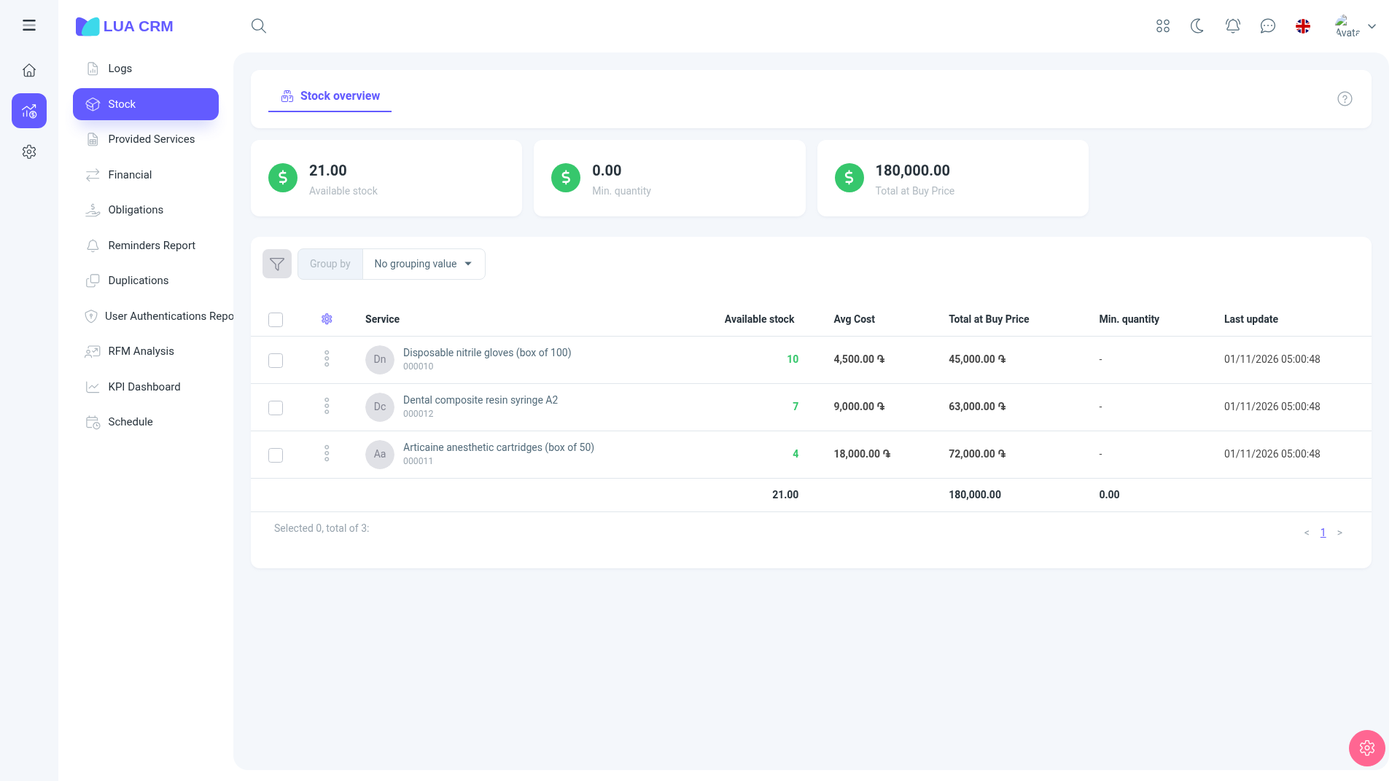
Summary cards on the page cover the current balance, what is in transit, the minimum quantity, and the total at purchase cost.
Columns
| Column | Meaning |
|---|---|
| Item | Product or material name |
| SKU, barcode, group, supplier | Hidden until you show them. Same values as the catalog |
| Available stock | Quantity on hand that is not reserved |
| Sellable stock | What you can still sell. Hidden by default |
| Reserved stock | Quantity held for orders or other reservations. Hidden by default |
| In transfer | Quantity moving between branches. The column is hidden when the company has only one branch |
| Incoming | Quantity you expect in. Hidden by default |
| Average cost | Average purchase cost |
| Sell price | Hidden by default |
| Margin (upper and lower) | Hidden by default |
| Stock value | On-hand quantity at cost |
| Sell stock value | On-hand quantity at selling price. Hidden by default |
| Minimum quantity | The warning level from the catalog |
| Last update | When this row last changed |
Services and memberships are not in this report. Filter Type is product or material only.
Grouping
Group by nothing, by variation, or by catalog group. Grouping rolls the quantities up so a product with several variants can be read as one line or as many.
Filters
| Filter | How it matches |
|---|---|
| Name, SKU, barcode | Contains or equals |
| Group | One catalog group |
| Supplier | One or more |
| Branch | One branch. Leave empty for all |
| Stock status | In stock, low stock (at or under the minimum), out of stock, or overstocked |
| Sellable stock | Equal, greater, less, and the inclusive comparisons |
| Type | Product or material |
| Catalog custom fields | Whatever the catalog has |
Permissions
Warehouse is Has access plus print. You either see the report or you do not. There is nothing to create here.
Tips
- Available stock did not move after a sale: the sale is still a draft.
- In transfer is missing: you have one branch, so transfers do not exist.
- Low stock uses the minimum quantity on the item. Set that minimum on the catalog variant or the row will never count as low.