Reminders
Reports → Reminders (/reports/reminders) is every reminder and automatic alert in one list: ones you typed on a contact or a document, and ones Lua CRM raises by itself (a birthday, a payment due, a request due).
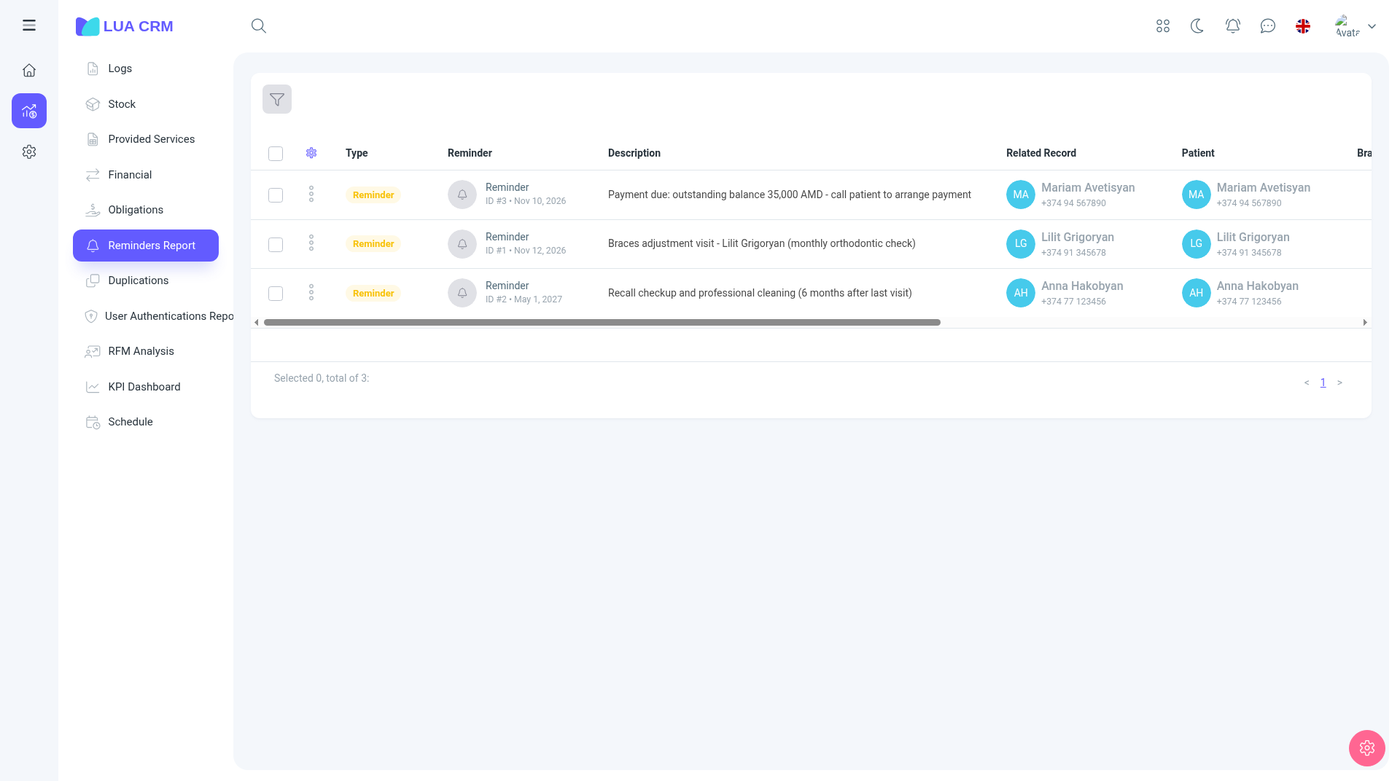
This report is one of the few pages that stays available even when other reports are locked, because the route is opened for signed-in users. Creating and deleting still follow the reminders permission.
Columns
| Column | Meaning |
|---|---|
| Type | Notification, reminder, payment due, request due, commission due, or birthday |
| Reminder | The short title |
| Description | The longer text |
| Module | Where it was created. Hidden by default |
| Related record | The contact, document, or request it points at |
| Contact | The person it is about |
| Contact’s manager | Hidden by default |
| Branch | |
| User | Who should receive it |
| Reminder type | The category from reference data (call, visit, and any types you added) |
| Scheduled date | When it should fire |
| Days left | How many days until that date. Negative means it is overdue |
| Status | Scheduled (not sent) or sent |
| Amount | Present on payment and commission alerts |
| Added by, created on | Hidden by default |
Open the related record from the row to do the work. Marking the reminder seen moves it to sent. It does not collect the payment or complete the visit.
Filters
Created date, scheduled date, status (scheduled or sent), type (you can pick several), module, reminder text (contains or equals), added by, contact, the contact’s manager, reminder type, contact group, and branch.
Add a reminder
From the report, or from the activity panel on a contact, document, or request:
| Field | Meaning |
|---|---|
| Title and description | What the person should do |
| Scheduled date | When to notify |
| User | Who is notified |
| Type | A reminder type from reference data |
| Related record | Filled in when you start from a contact or a document |
You need create permission. Edit and delete use the same module. Print exports the list.
Tips
- Birthdays appear because the contact has a birthday, not because someone typed a reminder.
- Days left is negative for anything still scheduled after its date. Filter status to scheduled and sort by days left to see the backlog.
- A sent reminder stays in the list so you can see that it went out. Filter status to scheduled for the work still open.